
ㅤ
Paperless daily checks in just a few clicks
Switch from outdated paper forms and Excel to error-free, digital production checks. Instantly receive alerts for issues, and maintain always-audit-ready records.
Mandatory steps prevent manual mistakes
Real-time notifications for critical issues
Filter results by production line, product, or auditor
Paper and Excel are costing you time and quality
No visibility into inspections
Without a digital record, you cannot see who performed the inspection or when it was completed. Quality performance becomes guesswork instead of data-driven.
Revision chaos
Outdated inspection questionnaires on the production line lead to inconsistent data and loss of historical continuity during audits.
Delayed response to issues
When problems are reviewed only after the shift, you lose the chance for immediate escalation. Critical issues cost money.
Audit stress
Searching for evidence across folders and spreadsheets can take days. Missing inspection records can lead to a production halt or major audit findings.
What improves when you digitalize your inspections?
Excel
Inspection results not available in real time
Incomplete or incorrectly filled inspection records
Multiple file versions with no control over the latest revision
Risk of overwritten or lost data
No notifications and no escalation
Time-consuming audit traceability
Digital Daily Production Checks
Immediate escalation of critical issues in real time
Every inspection is completed in full
Fully traceable inspection history
Inspection steps cannot be skipped
Instant alerts for critical issues
Inspection performance statistics are available in a few clicks
Start running daily checks today, no integrations required
Define checkpoints, build your checklist, and use it directly on the production line.
Sign up and create your workspace
Begin setup from your browser, no IT support or integrations required.
Define inspection points
Detail what to inspect at each step; add instructions or images as needed. Manage all checkpoints centrally.
Build a checklist for a production line or audit
Assign the checklist to a product or line, set validity, and share with your team.
Run the inspection directly on the production floor
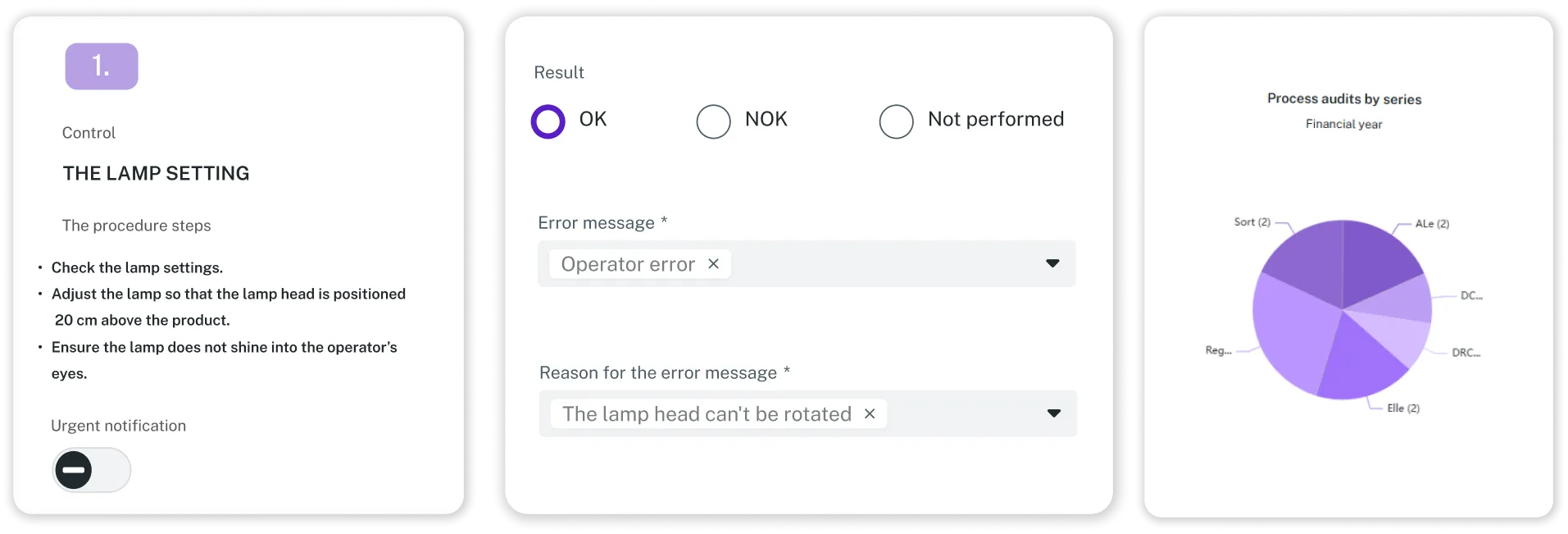
Guide operators through each step of the daily check to mark status, record deviations, and escalate critical issues.
Analyze results and manage quality with data
Access dashboards for performance by line, product, or period. All data and history are saved automatically.
What improves within the first weeks
of daily inspections completed
missing or invalid fields in inspection records
to escalate a critical NOK
spent on manual reporting
to retrieve evidence for an audit (sample test)
Pricing

No customizations

No customizations

Tailor-made
What is included in Small and Medium
What tailor-made solution includes
You can try the product free for 14 days and pay only after the trial. Prices are listed without VAT. The product is paid as a subscription fee, with 10% savings on annual payment. If the solution requires individual customizations, configuration or integrations, a one-time fee is also charged.
Frequently asked questions
Is this just a “digital checklist”?
No. This solution displays only one inspection step at a time, ensuring focus and accuracy. The next step appears only after the previous one is completed. It enables immediate escalation of critical issues, delivers real-time visibility into inspection results, and generates a reliable audit record.
We already have MES or QMS. Why would we need this?
Many MES or QMS systems lack a practical module for creating, managing, and executing daily inspections, or their setup is too complex for shop floor use. This solution is lightweight, intuitive, and immediately available, no integrations or complex deployment required.
How quickly will we see value?
Almost immediately. From your very first inspection, you'll benefit from fully completed checks with no skipped steps, faster escalation of critical issues, and clear, real-time visibility into inspection data.
Can we start without integrations?
Yes. You can begin with templates or CSV imports and add integrations later, only if required by your governance or IT standards.
Start with digital daily checks and process audits by Solvedio today
Sign up and start using the complete solution for free right away. If you encounter limitations such as device policies or IT restrictions, our team will support your onboarding.